In the upcoming release, Logos is bringing the highly requested Study Assistant feature, which allows you to continue the conversation with Smart Synopsis by asking follow-up questions to delve deeper into biblical and theological topics. This new tool uses AI to search your personal Logos library, analyze the results, and generate cited answers, giving you a powerful research tool that won’t try to write your essay like a general AI chatbot.
Be sure to check out the Logos Black Friday Sale (affiliate).
Getting Information with Smart Synopsis
Smart Synopsis is an AI tool that uses your library to find answers to your questions. To use the Study Assistant, go to Search and select Bible or Books. Ensure that Smart is selected as your search engine, and then enter your search query.
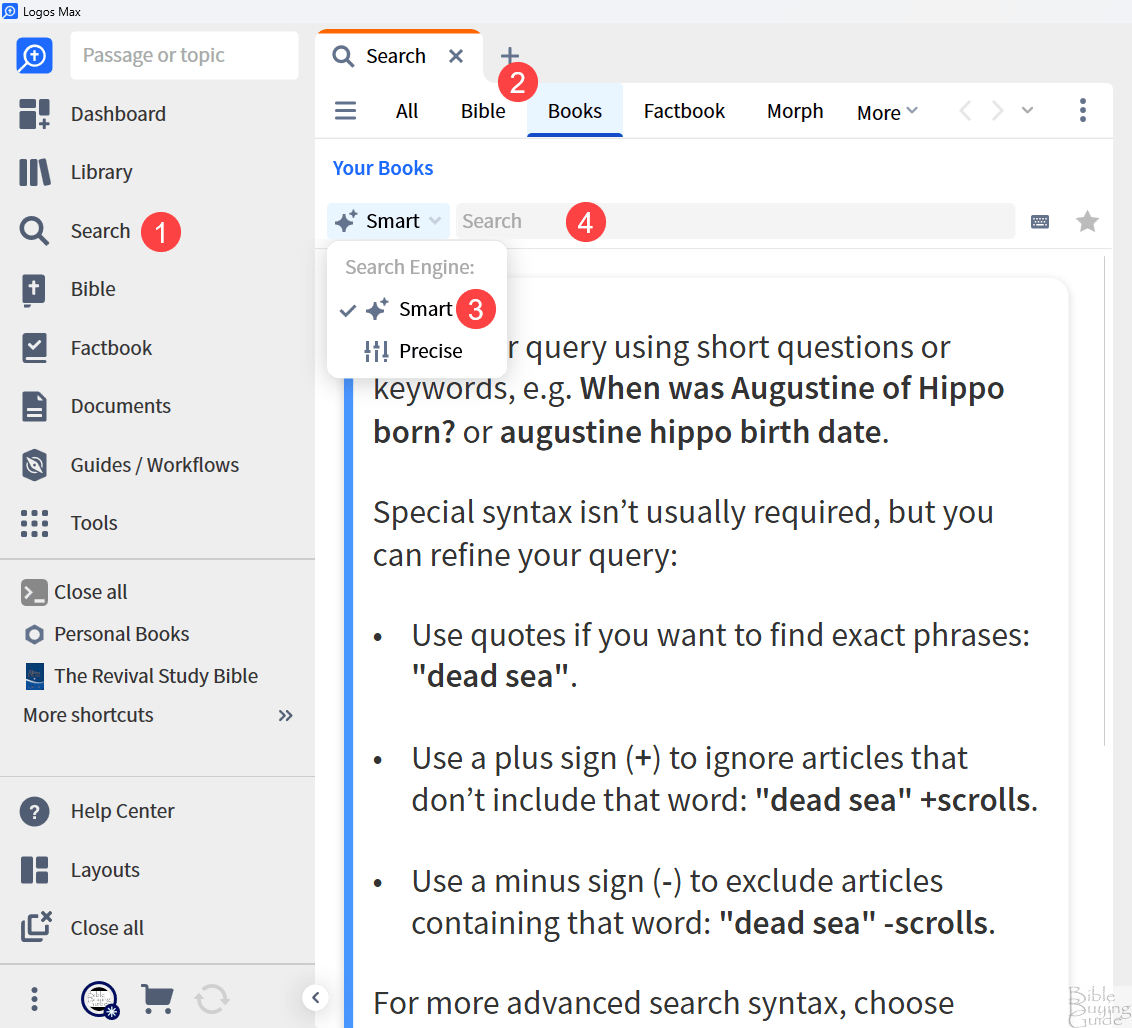
The Study Assistant is an option in the Synopsis window. An icon will show you that the search is assisted by AI.

The answers are from your library. The AI tool only finds those answers. It’s only a search tool, so it won’t tell you anything that’s not in your library. This is a good use of AI and requires AI credits. However, you might need to ask follow-up questions to help narrow down the answers. The new Study Assistant adds the ability to ask those follow-up questions.
Continuing the Conversation with Study Assistant
Normally, that would be the end of the study questions. The new Study Assistant lets you keep going with your research. Scroll to the bottom of the Synopsis and click Continue in Study Assistant.
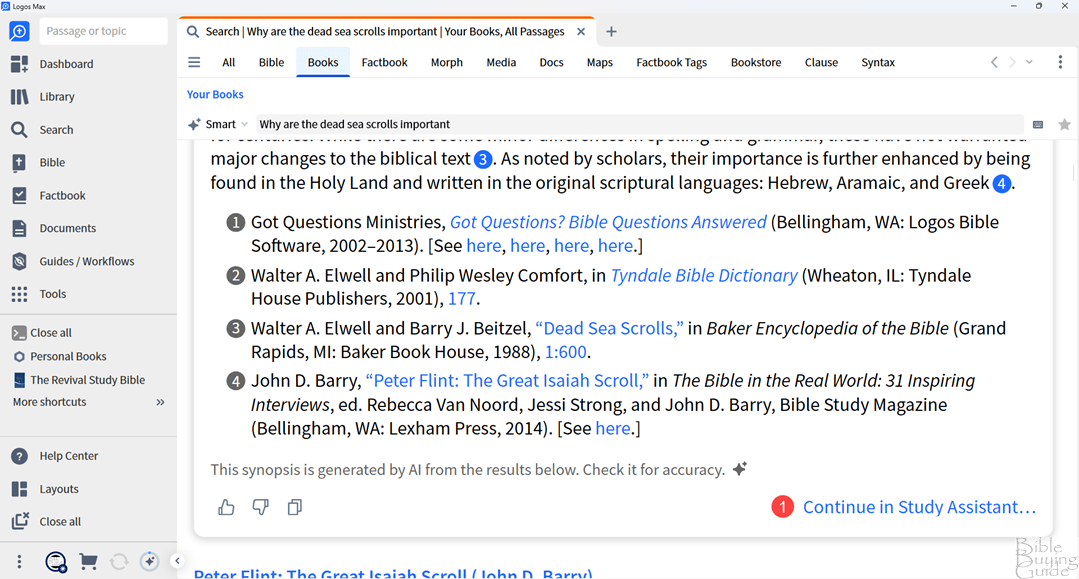
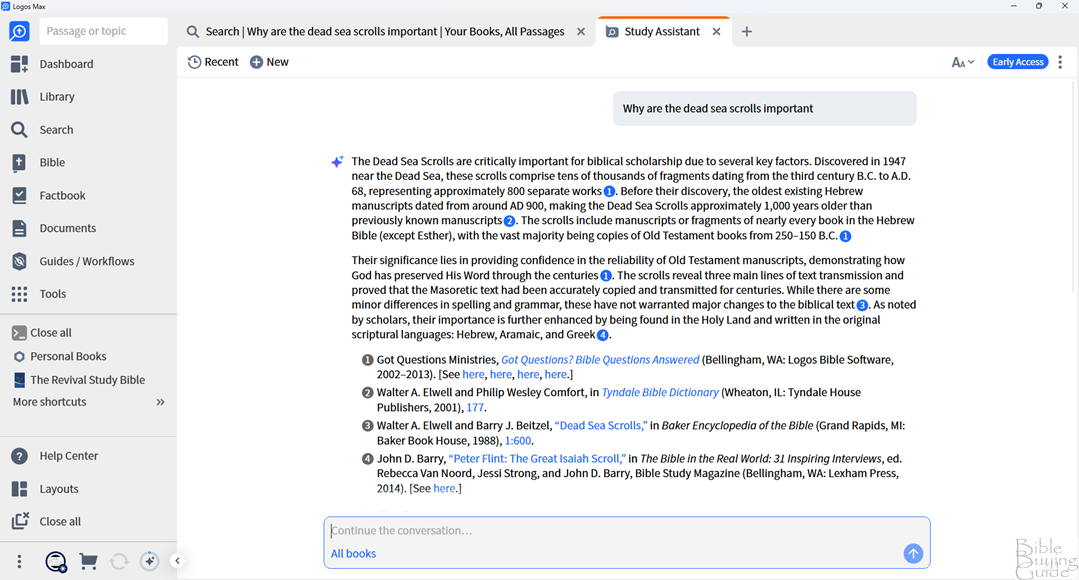
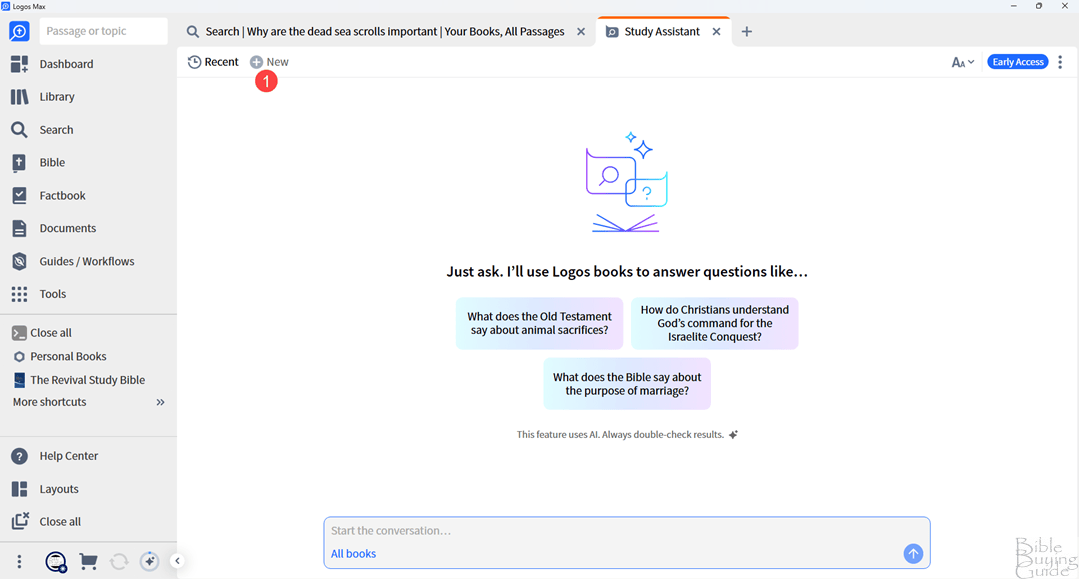
This opens a new Study Assistant tab where you can ask follow-up questions. This new window also lets you see recent results, create a new question, and adjust the font size. Just like the Synopsis, all of the citations are labeled, tying them to the sources.
Asking a follow-up question works a lot like other AI platforms, such as ChatGPT, with the exception that your library is its only source of information. It continues labeling the citations. You can copy and paste the content into any editor.
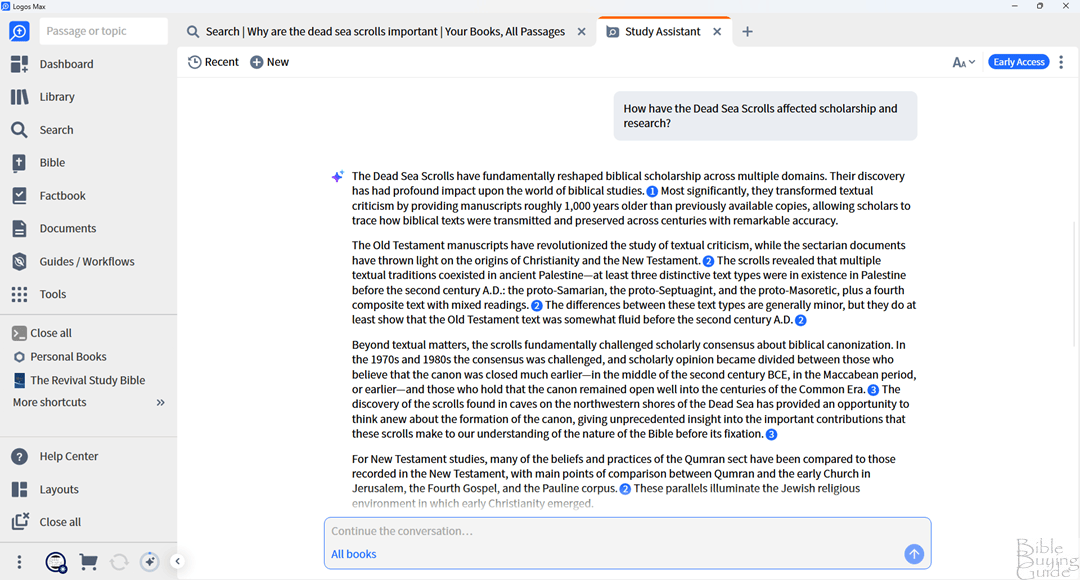
You can continue the conversation for as long as you want, or you can start a new conversation by clicking New in the upper left corner of the Study Assistant window.
Conclusion: an Excellent Study Assistant
The new AI Logos Study Assistant works well. I like that the results are only from your library. I found it easy to use, and I was pleased with the results. As long as you have enough resources in your library, I can see this being a valuable tool for all Bible research.
Be sure to check out the Logos Black Friday Sale (affiliate).